In Microsoft Dynamics CRM HTML web resource we have Xrm.Page.context parameter from where you can get different information about your CRM/Page etc…
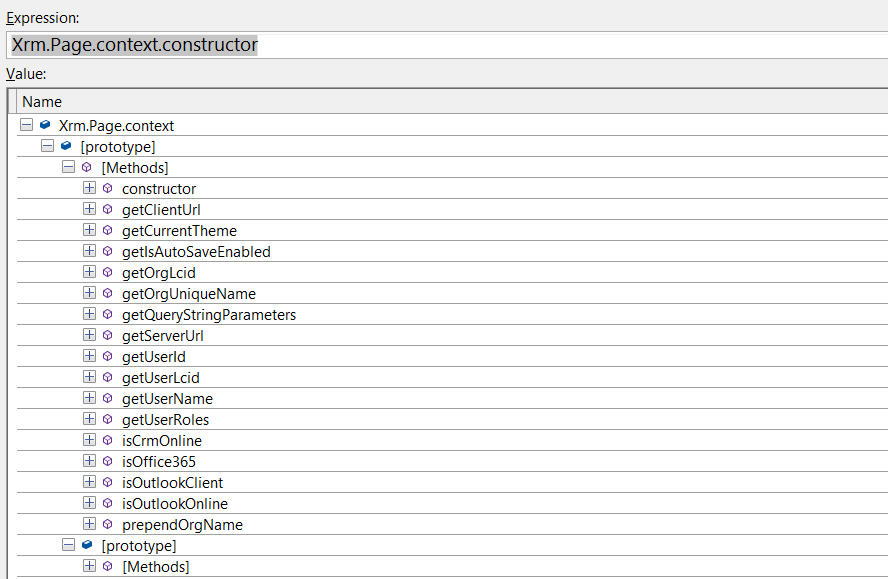
This gives an impression that we will have access to all other XRM scripting properties like Xrm.Page.data etc… but that is not the case.
I was having requirement to get the record ID and found given msdn document. Which tells you can pass the records as parameters.
http://msdn.microsoft.com/en-in/library/gg309536.aspx#BKMK_PassingParametersToWebResources
How to Do It:
Go to Web resource Properties in form Editor, Select given check box.
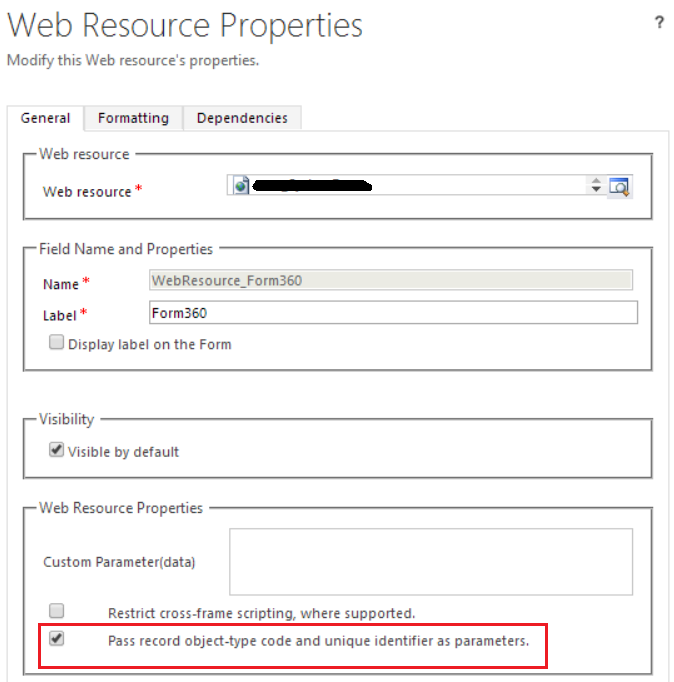
You will be able to get the record id in URL.
Pre Check Box Checked

Post Check Box Checked (there is a whole lot of stuff as given in msdn)

Fetching Data from Query String GetQueryString(“id”) will give you the record id. Similarly you can fetch other values as well.
function GetQueryString(key) {
    var resourceUrl = document.location.href;
    var queryList = resourceUrl.split(/[?&]+/);
    for (i = 0; i < queryList.length; i++) {
        pair = queryList[i].split("=");
        if (pair[0] == key) {
            return pair[1];
        }
    }
}
 Tech, Design and Development
Leave a comment