It’s a long awaited feature is available in Dynamics 365 which was not available in previous versions and customers constantly requested for it.
To enable Editable grid
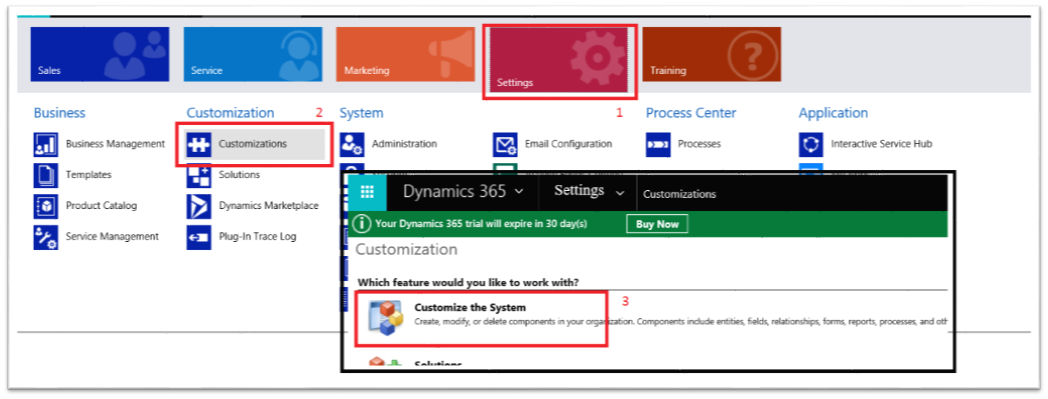
- Navigate to the Settings -> Customizations -> Customize the System
-
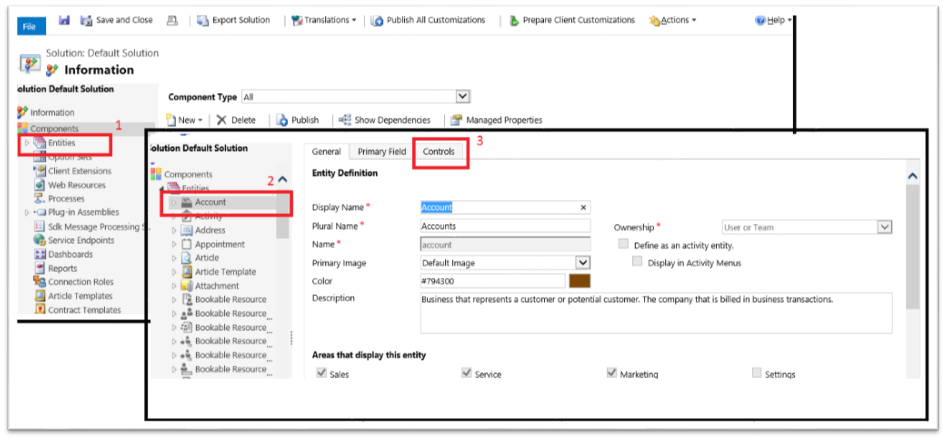
Expand Entities -> Select the Entity you want to enable Editable Grid on -> Select Controls
-
Click “Add Control” -> Editable Grid -> Add

-
Select where you want to use editable grid as default (Web, Phone, Tablet), Select Editable Grid Properties and Add Lookup, Select Available Views and Available Columns and Ok
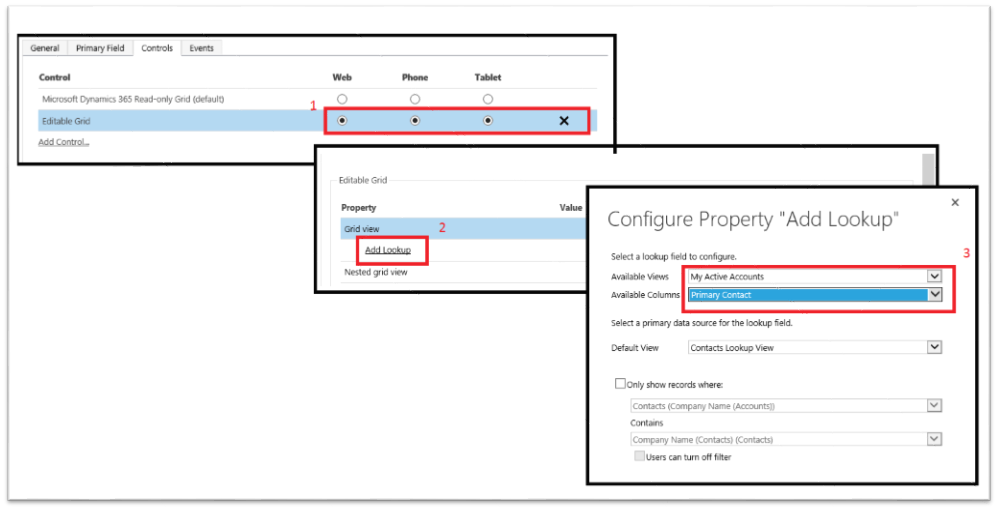
- Click save and publish.
-
Navigate to the View you configured as Editable, Properties should be editable.

 Tech, Design and Development
Leave a comment